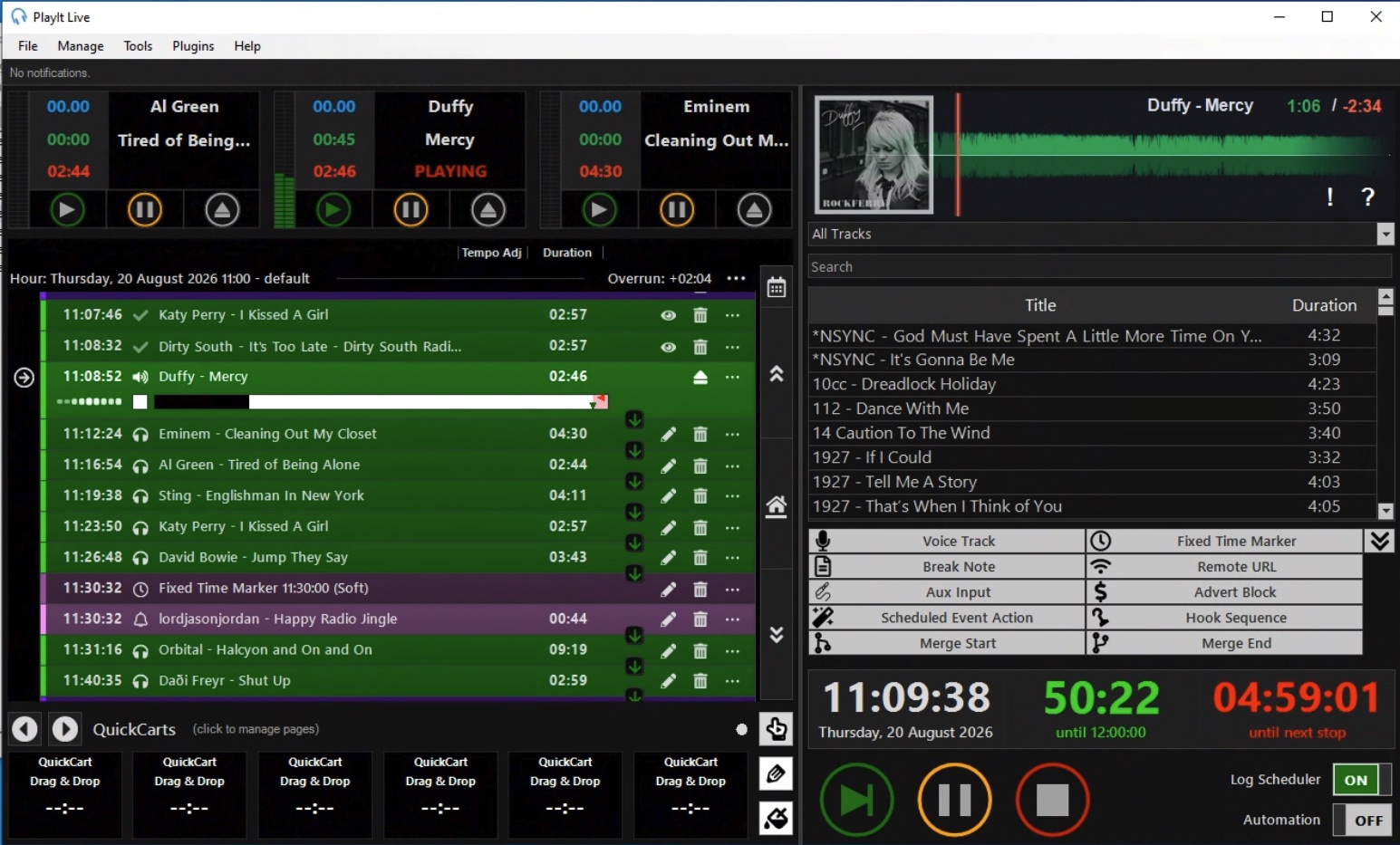
BoomScroller inside PlayIt Live — the waveform scrolls beneath a fixed playhead at 25% of the width.
BoomScroller turns the PlayIt Live player into a beautiful scrolling waveform. The timeline glides beneath a fixed playhead — album art, per-category colours, segue markers and live timers, all in one strip. Or switch to the spectrograph view and watch the spectrum roll by.
Built for the Live-Assist player, tuned to look great on air.
A fixed playhead at 25% of the width, with the whole track gliding beneath it. Upcoming tracks scroll in from the right; already-played audio fades out to the left.
Every track is tinted by its group colour, so you can read your schedule at a glance. Clean segues get a marker between events.
Album art overlays the waveform, with your station logo as a fallback. A smooth drawer animation swaps between them.
Elapsed time in green, remaining time in red, right beside the track title — always in view, always up to date.
Panel height, timeline window, colour palettes, view mode, artwork, logo, font and font size — all from the Plugins menu.
Decodes with BASS — the same engine PlayIt Live uses — so every format PlayIt plays (MP3, WAV, FLAC, OGG and more) renders perfectly.
Flip the whole strip into a live spectrograph — a log-frequency heat map decoded with BASS, bass at the bottom and treble on top. Or split the panel to show the waveform above and the spectrum beneath. Shift+click cycles the view.
Nine built-in looks — Classic, PlayItLive, Fluro, Rainbow, 80s, Mono, Terminal and more. Click the waveform to cycle them live; your pick is saved automatically.
Hover over the waveform and scroll to zoom the timeline window from 30 seconds up to 20 minutes — perfect for scrubbing into a long track or eyeballing a tight segue. Your zoom level is remembered.
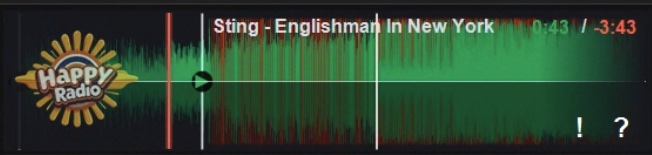
The green line shows where you are, the red playhead marks the now, and the timers tell you exactly how much is left. Each track is tinted by its group, and a clean segue gets its own marker between events.
Every waveform is generated with BASS — the same engine PlayIt Live plays with — so what you see is always exactly what's on air. Flip to the spectrograph view and drums, bass lines and vocals become a scrolling heat map instead.
BoomScroller is free to use for any station. No subscription, no account, no limits. If it makes your air better, that's all we ask.
↓ Download nowDrop the package into PlayIt Live's Plugin Manager and you're done.
Grab boomscroller.pips — it's a single file containing everything.
In PlayIt Live, open the Plugins menu and choose Plugin Manager.
Drag boomscroller.pips into the Plugin Manager (or double-click it). PlayIt Live installs it automatically.
BoomScroller appears above the track list. Click the ! in its corner to configure it, or the ? for help.